Discover Great Coffee Shops
Near You
Beans is a beautiful iOS app that helps coffee lovers find the perfect café. With smart filtering, interactive maps, and detailed information about every coffee shop nearby.

Everything You Need
Interactive Maps
Explore coffee shops on a beautiful map with custom markers. Tap to see details, swipe to browse nearby options.
Smart Filtering
Filter by rating, distance, price level, open status, and more. Find exactly what you're looking for.
Location-Based
Automatically finds shops near you. Search different areas with the "Find More Here" feature.
Ratings & Reviews
See real ratings and review counts from multiple sources. Make informed decisions about where to go.
Beautiful Photos
High-quality images with intelligent caching. Get a feel for each café before you visit.
Opening Hours
View complete weekly schedules and real-time open/closed status. Never arrive at a closed shop again.
Navigation
One-tap navigation to any coffee shop using Apple Maps or Google Maps. Get there quickly.
Multi-Language
Available in English and French, with automatic language detection based on your device settings.
Multiple Providers
Switch between Google Places and Foursquare for the best coverage. Choose your preferred data source.
See It In Action
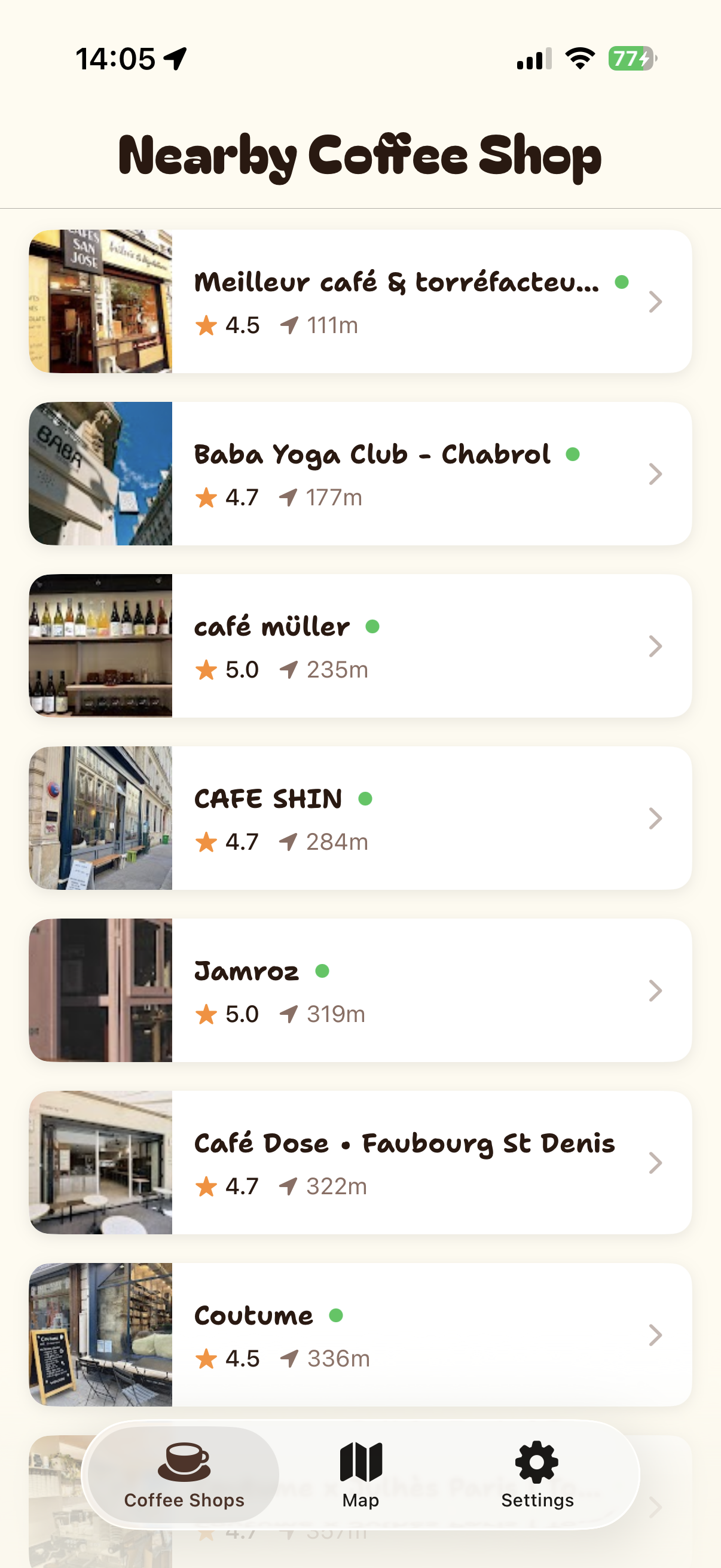
List View
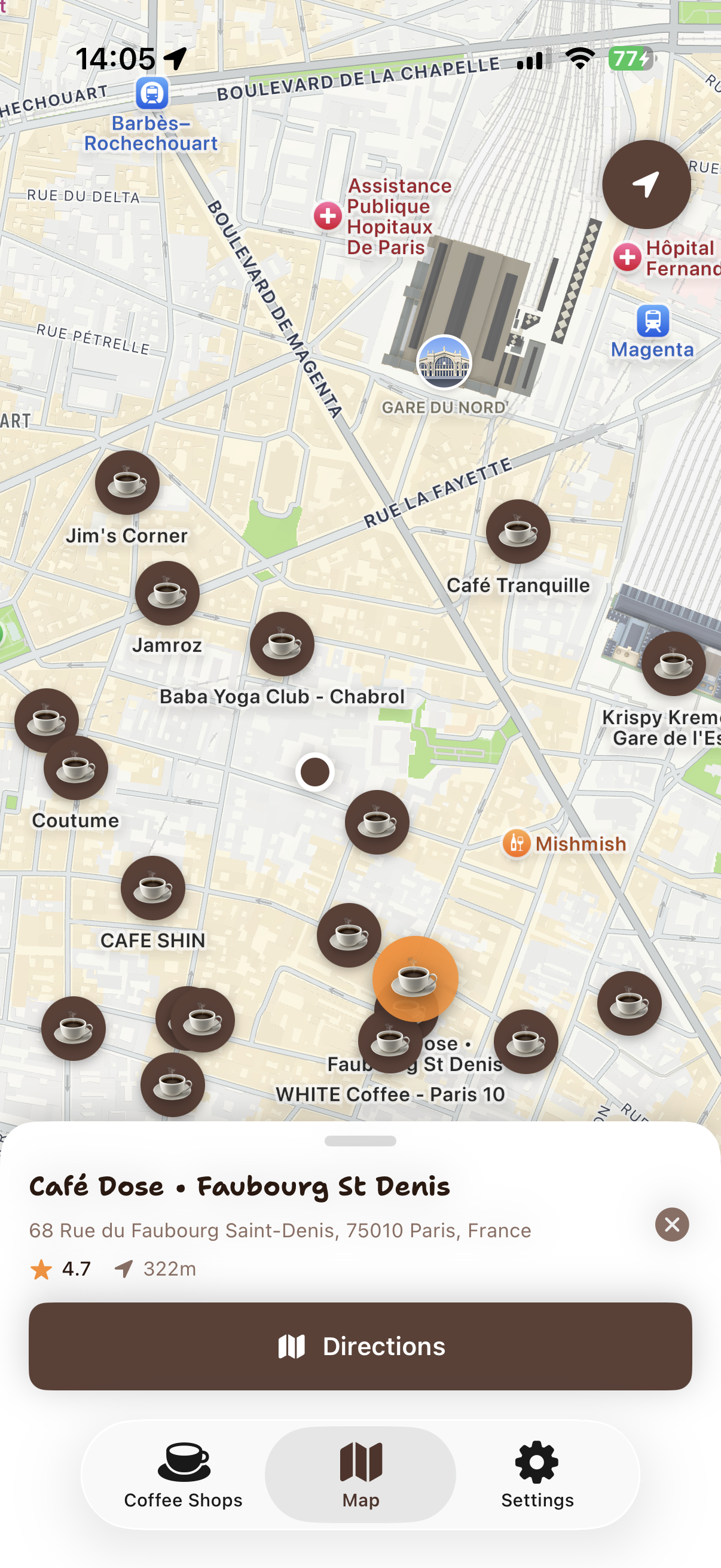
Map View
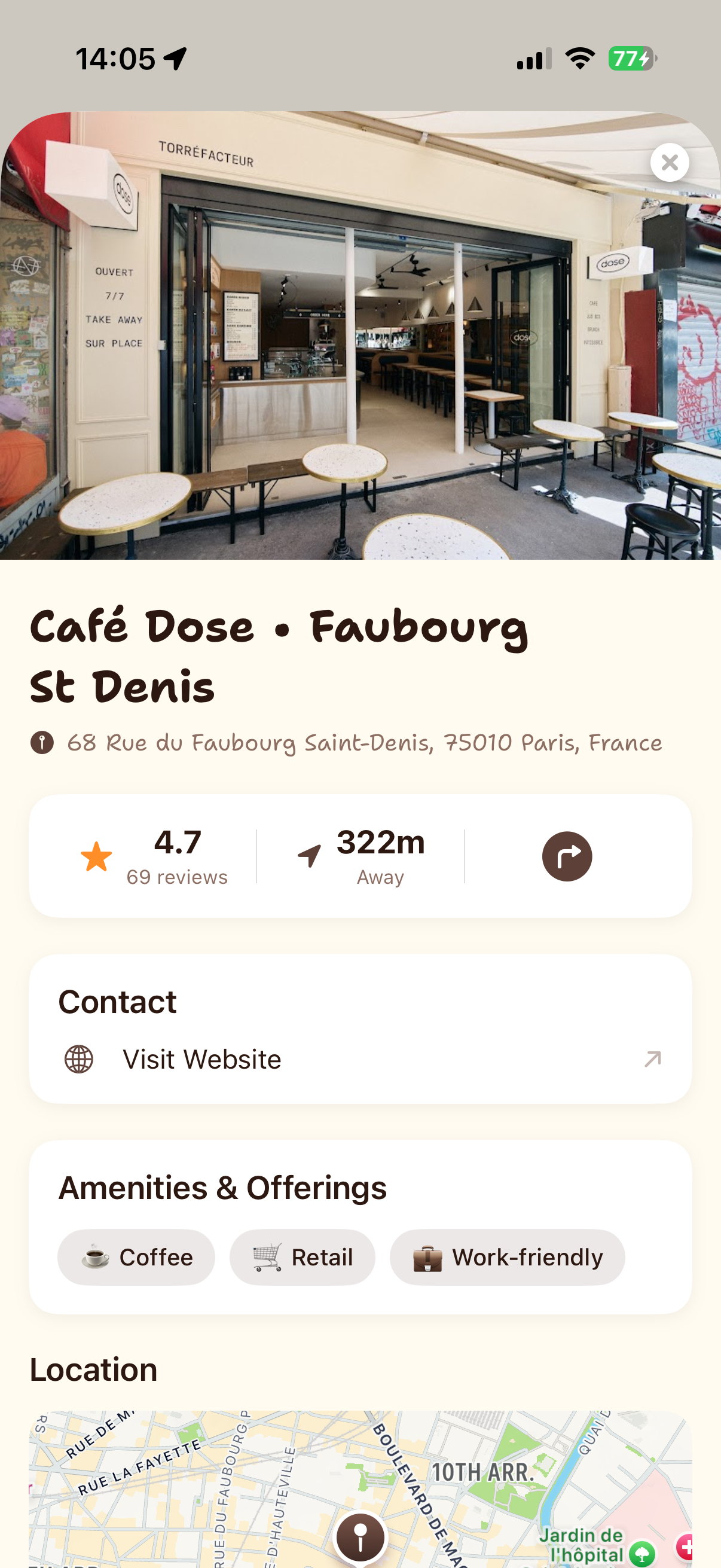
Detail View
List View
Map View
Detail View
Privacy First
Beans respects your privacy. Your location is only used for real-time searches and never stored. No tracking, no analytics, no personal data collection.
Getting Started with Beans
To use Beans and discover amazing coffee shops, you'll need a free Google Places API key. Don't worry—it's easier than it sounds, and we'll guide you through every step!
Sign in to Google Cloud
Go to Google Cloud Console and sign in with your Google account. Then create a new project (you can name it anything like "My Beans App").
Turn on the Places Feature
Click on the menu, go to "APIs & Services" → "Library". Search for "Places API" and click the blue "Enable" button. This allows the app to find coffee shops near you.
Get Your Personal Key
Go to "APIs & Services" → "Credentials", click "Create Credentials", and choose "API Key". A unique key will be created for you—this is what makes the app work!
Make Your Key Secure (Optional)
To protect your key from being used by others, click on it and add these settings:
- For iOS apps: Add your app's bundle ID (like com.yourname.beans)
- Limit to Places: This ensures the key only works with coffee shop searches
Add a Payment Method
Google requires a credit card, but don't worry—you get $200 of free usage every month! For casual use (finding a few coffee shops each day), you won't be charged anything.
Add Your Key to Beans
Copy your API key and paste it into the Beans app settings. That's it—you're ready to discover incredible coffee shops! Remember to keep your key private.
Will This Cost Me Money?
Probably not! Google gives you $200 worth of free searches every month. That's enough for hundreds of coffee shop searches daily. If you're just using the app for yourself, you'll stay well within the free limit and never see a charge.
Get Beans
Start discovering great coffee shops today
iOS 17.0 or later required • Free App